Resident Evil 4 - Free Shooting Game in Your Browser
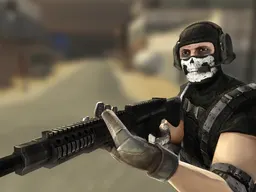
Resident Evil 4 is a free shooting game that runs in your browser on desktop and mobile, putting you in the role of Leon S. Kennedy on a dangerous rescue mission in Europe. You'll face hostile enemies using aim-and-shoot combat and tactical action buttons to survive encounters in this action-packed adventure.
The Idea of the Game
You play as Leon S. Kennedy, a US agent six years into his career, tasked with investigating the disappearance of the president's daughter. The trail leads to a mysterious European location where nothing is what it seems. Unlike your rookie days in Raccoon City, you're now equipped with enhanced combat training and tactical awareness. The game drops you into hostile territory where every encounter demands quick reflexes and smart positioning. Your mission is to navigate through enemy-filled areas, uncover what happened to the president's daughter, and survive long enough to complete your investigation. The tension builds as you realize the scale of the threat is far larger than a simple rescue operation. Each area presents new enemies and challenges that force you to adapt your approach, and the story gradually reveals why this location is so dangerous.
How You Play
Combat is the core of your experience here. You move through environments, encounter enemies, and engage them using the game's aim-and-shoot system. When you spot a threat, you lock onto targets and use your aim tools to line up shots. The game gives you an action button for tactical moves beyond just shooting, letting you dodge, take cover, or interact with the environment in ways that change how encounters play out. Your ammo isn't unlimited, so you need to think about when to fire and when to conserve. As you progress through areas, you'll face different enemy types that require different tactics, and the environments themselves can work in your favor if you use them correctly. The game doesn't hold your hand through encounters, so figuring out the rhythm of attacking, retreating, and repositioning is part of learning to survive.
Controls
On desktop, use your mouse to aim and position your crosshair, with the left click to fire. The keyboard handles movement with standard directional keys or WASD, and an assigned key triggers your action button for dodges and interactions. On mobile and tablet, the touch pad becomes your main input, replacing the mouse aiming entirely. Tap to shoot, swipe or drag to aim and move your position, and touch the action button area when it appears on screen. The controls adapt to whether you're aiming down sights or moving freely, and the game communicates which inputs matter in each moment through visual cues on screen.
Strategies That Work
Positioning matters far more than you'll realize in your first few encounters. Standing still while you shoot makes you an easy target, so moving between bursts of fire keeps enemies from locking onto you. Learn to use the environment as cover instead of just running around in open space. When you identify an enemy's pattern, you can predict where they'll move next and have your shot lined up before they arrive. Ammo discipline separates players who progress quickly from those who get stuck. Firing every bullet the moment you see an enemy wastes resources you'll desperately need later. Instead, aim for clean shots that eliminate threats efficiently. The action button isn't just for flashy moves, it's a survival tool, so experiment with it in low-pressure moments to understand when it creates the most advantage. Higher difficulties force you to stop relying on pure reflexes and start planning your route through each area before the action starts.
What Separates Skilled Players
The difference between players who beat the game and those who restart constantly is knowing when to retreat. A skilled player recognizes a losing fight and backs away to regroup, rather than committing to every encounter. You also learn to chain your shots and actions together smoothly, using the animation time of one action to plan your next move. Understanding enemy spawning patterns means you're never truly surprised, and you can set up your position before threats even appear. Good players also manage their resources across entire sections, not just individual fights. You might use less ammo in an early area so you have enough for tougher enemies later. The aim system rewards patience over panic, so keeping your crosshair steady and firing at deliberate moments works better than rapid clicking. Finally, experienced players read the environmental storytelling to anticipate what's coming next.
Variations and Modes
The game presents a single linear campaign with escalating challenge and discovery. Your path through the European location branches slightly based on choices you make, but the core experience follows Leon's investigation as it deepens. Enemy encounters change as you progress, with new threats appearing that require you to rethink your tactics. Some areas force you into close-quarters situations where action button timing becomes critical, while others demand precise long-range shooting. The game doesn't reset your ammo or health between sections, so managing resources across an entire run is part of the design. This means your performance early on affects what tools you have available later, creating meaningful consequences for how you approach each encounter.
Similar Games
If you enjoy the shooting mechanics here, you'll find similar experiences in other action games that emphasize aim-and-shoot combat combined with tactical positioning. Games in the action-shooter genre share the core loop of identifying targets, managing ammunition, and using positioning as a defensive tool. The blend of narrative progression with encounter design means you're getting both a story-driven experience and moment-to-moment tactical challenges. Other titles that mix investigation elements with combat encounters create a similar pacing, where you move through areas uncovering story beats between action sequences. The enhanced aim features here are a hallmark of modern shooting games that give you control over precision versus spray-and-pray approaches.
Controls
Keyboard and mouse
- Mouse to aim and position your crosshair
- Left click to fire your weapon
- WASD or arrow keys to move Leon
- Designated key for action button (dodge, cover, interact)
Touch
- Tap to fire
- Drag or swipe to aim and move your position
- Tap the action button area when it appears on screen
- Touch controls adapt based on whether you're aiming or moving freely
FAQ
- Is this really free and do I need to download anything?
- Yes, it's completely free to play directly in your browser with no download required. Just load the page and start playing immediately on desktop or mobile.
- How does the aiming system work compared to other shooters?
- The enhanced aim-and-shoot features give you precise control over your crosshair and shot placement. On desktop, your mouse controls the reticle directly, and on mobile, you drag to adjust your aim. It rewards careful positioning over twitch reflexes, so taking a moment to line up your shot usually works better than firing quickly.
- What does the action button actually do?
- The action button handles tactical moves like dodging, taking cover, or interacting with objects in the environment. It's context-sensitive, so what it does depends on your situation and what's nearby. Learning when to use it is crucial for surviving tougher encounters.
- Can I pause the game or do I have to finish in one sitting?
- The game supports progression through sections, so you can step away between major encounters. However, check the specific save mechanics once you start playing, as some browser games handle checkpoints differently.
- Why do I run out of ammo so quickly?
- Ammo is a limited resource by design, not a bug. This forces you to make every shot count and avoid wasting bullets on distant enemies you can't hit reliably. Pick your targets carefully and focus on eliminating threats efficiently rather than suppressing fire.
- Does this game require a powerful computer?
- No, it runs smoothly in any modern browser on standard computers and tablets. The 800x600 resolution means it was designed to be accessible across different devices without demanding high-end hardware.
- What happens if I die during a mission?
- You'll restart from a checkpoint rather than losing all progress. The exact checkpoint system will become clear once you start playing, but the game doesn't force you to replay entire sections from the beginning.
Similar games
More Shooting Games games →