Gangster War
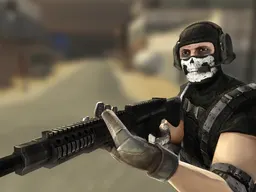
Gangster War is a free tower-defense shooter game that runs in your web browser on desktop and mobile, where you defend your territory against waves of gang members by aiming and firing weapons to earn money and upgrade your arsenal across 40 levels.
What This Game Is
Gangster War puts you in the role of a territory defender facing down organized gang invasions. Your job is to stand your ground, aim at incoming enemies, and take them down before they overwhelm your position. The game sits at the intersection of tower defense and shooting mechanics: you're anchored to a location, selecting targets on screen, managing resources between waves, and gradually improving your defensive capabilities. You're not moving around a map or exploring—you're holding the line in a fixed war zone, watching threats approach and eliminating them before they reach you. The core loop is simple in concept but demanding in execution: aim, shoot, earn currency from defeated enemies, spend that currency on weapon upgrades or area fortifications, then face stronger waves. With 40 different levels to progress through, 12 different enemy types that behave differently, and 6 weapons you can upgrade, the game gives you both vertical progression (making your gear better) and the challenge of adapting to new threats as they appear. Bombs are available as tactical tools when the pressure gets too intense. There's no story, no dialogue, no elaborate cinematics—just you against increasingly difficult odds, and the satisfaction of surviving one more wave than you did last time.
Is It Worth Playing?
Gangster War works well if you like the steady pressure of waves getting harder and the satisfaction of incremental upgrades. The appeal isn't in flashy graphics or surprising plot twists—it's in that classic loop of defending, earning, and buying better gear. You'll find yourself thinking about which weapon to upgrade next, or whether you have enough money to fortify your position before the next attack. The 40 levels give you a clear progression path, so you're not grinding the same content indefinitely. Each time you unlock a new enemy type, your strategy has to adjust. If you enjoy games like Plants vs. Zombies or classic tower defense titles but prefer the directness of aiming and shooting over point-and-click placement, this fits that gap. It's also casual enough that you can play for ten minutes or settle in for longer sessions without pressure to complete a season or meet daily goals. The main drawback is that it's mechanically straightforward—there's no hidden depth or meta-game. You'll understand the full scope of what you can do in the first few minutes. If you're looking for complexity or surprise mechanics, this isn't it. But if you want a cleanly designed shooter that respects your time and gives you honest progression for effort, it delivers.
How to Get Started
Load the game in your browser and you'll immediately be placed in a war zone with enemies approaching. The first level is a gentle introduction—the threats move slowly, there aren't many of them, and the game doesn't overwhelm you with information. You'll likely take them down on your first or second attempt, which gives you quick wins and some starting currency. That money goes into your first upgrade decision. The game doesn't force a specific path; you can upgrade your weapon, fortify your position, or save up for something bigger. Each choice affects how you handle the next level. The difficulty curve is designed to let you feel competent early, so you're not stuck on level three for an hour. By level five or six, though, the enemy count and aggression start ramping up noticeably. This is where strategy becomes real: you can't just spray bullets and hope for the best. You need to prioritize threats, manage your upgrades wisely, and sometimes use a bomb when things get chaotic. The progression is steady enough that you'll hit a wall occasionally, but usually you can push past it by tweaking your loadout or replaying an earlier level to earn more upgrade currency. There's no rigid gatekeeping.
Controls
The control scheme is designed for pointing and shooting, not complex input sequences. Since you're stationary defending a position, your only active input is aiming and firing at targets. The core mechanic is touching or clicking on the war zone area to select your target and direct your fire. On a desktop, this means using your mouse to click on enemies or the area where you expect them to appear. On mobile, you tap the screen directly at your target. There are no ability hotkeys, no inventory management during combat, and no movement controls. Your upgrades and bomb usage likely have dedicated buttons or menus accessed between waves, but the moment-to-moment gameplay is purely about where you're aiming. This simplicity is the game's strength—new players understand immediately, and skilled players can focus entirely on target prioritization and timing rather than wrestling with complicated inputs. The interface should be clean enough that you're not squinting to find what you need, and responsive enough that your input registers without lag.
What Changes Over Time
The early levels feel manageable because enemy density is low and they move slowly. Your basic weapon does enough damage to handle what's in front of you. Around level five or six, you'll notice the first real shift: more enemies arrive at once, some are tougher and require multiple hits, and you can't just aim anywhere and expect victory. This is when your first meaningful upgrade choice matters. If you've pumped money into your primary weapon, you'll tear through enemies faster but won't have a backup plan. If you've saved for a second weapon or area improvements, you've diversified your defense but deal less individual damage. By the mid-game, the enemy roster expands to include faster threats, tougher units with more health, or enemies that behave unpredictably. Your static position becomes a real vulnerability—you can't chase them, so timing and range matter. This forces you to adapt your upgrade path. Late-game levels push you to have a complete arsenal and strong positioning, where a single mistake (wasting your bomb too early, focusing on the wrong target) can cascade into a loss. The 40-level structure means there's always a next challenge, a new enemy type, or a tougher variation of old ones. The game's progression respects the time you've invested; it never feels like you're grinding for hours to afford basic upgrades.
Mistakes That Cost You
The biggest trap is poor upgrade prioritization. If you rush to buy every weapon without leveling any of them, you'll have weak damage across the board and struggle badly. Smart players focus on one or two weapons and get them strong, then add tools as income allows. Another common mistake is wasting your bomb early. Bombs are powerful but limited—using one to clear five weak enemies when saving it for a crisis moment would have cleared twenty is exactly how runs end in failure. Enemy awareness matters too. If you're focused on one target and miss that a faster threat is approaching from the side, you can be overwhelmed quickly. The game doesn't pause, so tunnel vision is punished. Resource management between levels is crucial: spending all your money immediately feels good but leaves you unprepared for surprises. Building a buffer of saved currency gives you flexibility if a level is harder than expected. Positioning awareness also matters—knowing which area of the screen enemies will enter from, so you can aim defensively rather than reactively, separates runs that last to level 20 from those that stall at level eight.
Where and How to Play
Gangster War runs in any modern web browser, so there's nothing to download or install. On desktop, go to Atomo Play, search for the game, and click to launch it. Your progress should persist between sessions if the browser stores your data properly. On mobile—phones and tablets—the same browser access works, and the game adapts its interface to touch controls. You don't need a powerful phone; the game is designed to run smoothly on older hardware. The resolution of 900x506 is compact enough that it runs well even on slower internet connections. Since it's browser-based, you can start a level, close the tab, and come back later to continue. This makes it perfect for casual play: during a break at work, on public transit, or late at night when you want something that doesn't demand a big time commitment. There's no account system required to play, though the game might offer optional login to save progress across devices. If you prefer playing on your phone but want the bigger screen of a desktop, you can switch between them freely.
Controls
Keyboard and mouse
- Click on enemies or the war zone area to aim and fire
- Access menus between levels using mouse clicks for upgrades and bomb deployment
Touch
- Tap on enemies or the war zone area to aim and fire
- Tap menu buttons between levels to select upgrades and use bombs
FAQ
- Is Gangster War really free to play?
- Yes, it's completely free. You load it in your browser and play without paying anything upfront. There may be optional ads between levels or cosmetic purchases available, but the core game is free and fully playable without spending money.
- Do I need to download anything or create an account?
- No download needed. Just go to Atomo Play, find Gangster War, and click to play directly in your browser. You can play immediately without creating an account, though the game might offer optional login to keep your progress across devices.
- How many levels are in the game, and do they get harder?
- There are 40 levels total. The difficulty ramps gradually—early levels are forgiving so you learn the mechanics, but by the middle levels the enemy count and toughness increase noticeably. Late-game levels require smart upgrades and precise execution to beat.
- Can I play Gangster War on my phone?
- Yes. The game works on mobile browsers and adapts to touch controls. You tap on enemies to aim and shoot. It runs on older phones too, so you don't need a powerful device.
- What's the difference between the 6 weapons, and which one should I upgrade first?
- The game has 6 upgradeable weapons, but the specifics of what each one does aren't detailed in the base description. Generally, focusing on one or two weapons and leveling them high is better than spreading money thin across all six. As you play, you'll discover which weapons suit your playstyle and which are better for specific enemy types.
- What do bombs do, and when should I use them?
- Bombs are powerful tactical tools for clearing threats during intense moments. Save them for when you're overwhelmed or facing a particularly dangerous wave. Using them too early on weak enemies is a mistake that costs you later.
- Can I play offline or do I need internet the whole time?
- Since it's a browser-based game, you need an active internet connection to play. The game won't work offline.
- If I quit during a level, do I lose my progress?
- Level progress typically resets if you quit mid-round, but your upgrades and currency from previous levels stay saved. You don't have to redo earlier levels or lose your gear.
Similar games
More Shooting Games games →