Pottery
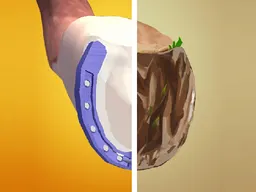
Pottery is a free 3D arcade game that runs directly in your web browser on desktop and mobile devices, where you sculpt clay pots by hand and shape them to match target designs shown on screen. It's a relaxing but challenging hypercasual experience that blends creative freedom with pattern-matching mechanics, playable with just your mouse or touch controls.
Your First Minutes
When you start Pottery, you're immediately presented with a block of clay and a target shape displayed somewhere on your screen. The clay sits in front of you in a 3D view, and your job is to rotate, mold, and adjust it until it matches what the game is asking for. There's no complex menu or story setup—you're sculpting right away. The mouse or touch cursor becomes your sculpting tool. You'll notice the clay responds smoothly to your movements, and there's immediate visual feedback as you shape it. Within the first thirty seconds, you'll understand the core loop: see target, shape clay, submit result, move to next pot. The game doesn't overwhelm you with tutorials or dialogue. It trusts you to figure out the basic interaction almost immediately. Most players get one or two pots right on their first tries, which builds quick confidence and keeps you playing the next round.
Main Mechanic
Pottery centers on a single core loop: each round presents you with a target pot shape, and you have a lump of clay to manipulate into that exact form. You interact with the clay in 3D space, using your cursor to push, pull, and reshape it. The game grades how closely your finished pot matches the target—it's not about perfect precision down to the pixel, but close enough that your eye can verify the match. There's a satisfying moment when you rotate your creation and see it align with the target silhouette. The challenge escalates as targets become more detailed: early rounds ask for simple bowls or vases, while later rounds demand narrower openings, specific curves, or asymmetrical features. You're working against your own muscle memory and spatial reasoning rather than against a timer or enemy. Each pot you complete successfully unlocks the next one. If you submit a pot that's too far off, you'll usually get feedback indicating what needs adjustment, though the exact mechanism for retries or resets isn't specified in the base description. The satisfaction comes from the hands-on nature of 3D creation—it genuinely feels like you're at a pottery wheel, not just clicking buttons.
Controls
On desktop, you'll use your mouse as your primary tool. Click and drag to manipulate the clay—the direction and motion of your cursor directly influence how the pot is shaped. You can rotate the view to see your work from different angles, typically by moving the mouse or using secondary clicks. The game runs at 800x600 resolution, so it fits comfortably in a browser window without demanding your entire screen. On mobile devices and tablets, touch replaces the mouse. Your finger becomes the sculpting tool—swipe and drag across the clay to mold it. The same rotation mechanics apply: you can often pinch to zoom or swipe in specific directions to rotate your view. Since the game is designed for both platforms, the controls are intuitive on either device. There's no keyboard input required; this is a pure cursor or touch game, which keeps the interface simple and accessible.
Mistakes Everyone Makes
The most common stumble happens when players try to sculpt with too much force. Pottery rewards gentle, deliberate adjustments rather than aggressive dragging. If you grab the clay and yank it around wildly, you'll overshoot your target shape and end up with something lumpy and wrong. New players often submit pots too early, before they've actually compared their work to the target carefully. You glance at the target, make a few quick changes, and hit submit—only to realize you missed a critical detail like a lip, a dent, or the overall proportion. The second mistake is not rotating your view enough. You'll sculpt one side of the pot and assume the back matches the target, but pots are three-dimensional. Turning the clay around to inspect it from all angles saves you from embarrassing submissions. Another trap is trying to add too much detail in one motion. Instead of making one big mistake, make several small correct adjustments and compare after each one. Players also tend to forget that the target shape matters from every angle, not just the front. A pot that looks right from one side but is lopsided from another won't pass.
When It Gets Challenging
The first five to ten pots teach you the basics—you're making simple symmetrical shapes and building confidence. Around round ten or fifteen, the targets become noticeably more complex. You might encounter a pot with an irregular rim, one that's narrower at one end, or a vase with a defined neck that requires precision. This is where casual players often feel stuck. The gap between 'close enough' and 'actually matches' becomes obvious. Your spatial reasoning is tested: you need to hold the target shape in your mind while you're manipulating the clay, compare them mentally, and make micro-adjustments. The difficulty doesn't spike dramatically—it's a steady climb—but it does shift from 'anyone can play this' to 'you need to focus and be intentional.' Pots with asymmetrical features or thin sections are particularly punishing because small mistakes are highly visible. Players who succeed past this point have usually developed a strategy: they sculpt the overall silhouette first, check it against the target, and only then refine details. Patience becomes more valuable than speed.
How to Actually Improve
Start by looking at the target shape for a full ten seconds before you touch the clay. Memorize the proportions, the width, the height, any curves or flat edges, and the opening shape. This mental image becomes your guide. When you sculpt, make small changes and rotate the view after each one. Don't sculpt for thirty seconds and then check—check after every three seconds of work. Use the rotation feature liberally. View your pot from the top, the side, the back, and the angled view. If it looks right from one angle but wrong from another, you know exactly where to focus your next adjustment. Learn to use light touches. Instead of dragging the mouse or finger far, try small, controlled motions that you can correct immediately. Think of it like actual pottery: tiny pressure changes shape the clay differently than aggressive force. Study the target's features one at a time. Is the rim even or does it taper? Is the body symmetrical? Is there a base or does it taper to a point? Isolate each feature and match it individually rather than trying to nail the whole shape at once. Finally, don't be afraid to restart a pot if it goes badly wrong. There's no penalty; the game is about the quality of your final submission, not the path you took to get there. Accepting that you need to start over and doing so cleanly is faster than trying to salvage a fundamentally wrong sculpture.
What to Expect After an Hour
After playing for an hour, you'll have completed somewhere between twenty and forty pots, depending on your speed and how many attempts each one takes. You'll feel noticeably more comfortable with the 3D space and how your gestures translate to clay movement. The game no longer feels alien or frustrating; it feels like a natural extension of your hands. Your success rate on new pots will climb because you've internalized the patterns. Early targets repeat certain shapes—bowls, vases, jars—and once you've nailed a bowl shape, you can adapt it to new variations much faster. You'll also start to notice that your taste in the game sharpens. You'll recognize when your pot is close but not quite there, and you'll catch mistakes before you submit. The difficulty will have ramped up to the point where concentration matters. You're not playing mindlessly anymore; you're genuinely problem-solving. At this stage, some players feel deeply satisfied and continue for several more hours, while others recognize they've hit a skill ceiling and move on. The game's hypercasual nature means there's no progression system, no story, no new mechanics unlocking—it's pure sculpting practice with increasingly hard targets. Whether that's engaging or repetitive depends on whether you enjoy the core loop of shape-matching and 3D manipulation. If you're the kind of player who finds meditative joy in careful, detailed work, you'll keep playing. If you need external goals or narrative reward, you might drift away.
Controls
Keyboard and mouse
- Click and drag the mouse on the clay to sculpt and shape it
- Rotate your view by moving the mouse or using the view controls
- Submit your finished pot when it matches the target
Touch
- Tap and drag your finger on the clay to sculpt and shape it
- Swipe or pinch to rotate your view of the pot
- Tap the submit button when your pot matches the target
FAQ
- Is Pottery really free and do I need to download anything?
- Yes, Pottery is completely free to play directly in your web browser. No download or installation required. Just visit the game and start sculpting right away.
- How do I actually shape the clay? What am I doing with the mouse?
- You use your mouse or touch finger to interact with the clay directly. Click and drag on the pot to push and mold it. The direction and force of your movement shapes the clay. Rotate your view by moving your cursor or swiping so you can see the pot from all angles. It works like you're physically pushing on wet clay.
- What happens if my pot doesn't match the target? Do I lose and start over?
- The game gives you feedback if your pot is too different from the target. You can usually adjust and try again, or reset and start fresh on that pot with no penalty. There's no losing condition or points system—only the satisfaction of matching the target shape.
- Does Pottery work on my phone or tablet?
- Yes. Pottery runs at 800x600 resolution and works on mobile devices and tablets. Touch controls replace the mouse, and the game adapts to your screen. It plays smoothly on both portrait and landscape orientations depending on your device.
- Is there a time limit or do I have as long as I want to sculpt?
- There's no timer or time pressure in Pottery. Take as long as you need to shape each pot. The game is about precision and careful work, not speed.
- How many pots are there? Does the game ever end?
- Pottery presents pot after pot with increasingly difficult target shapes. There's no final level or ending sequence. You play until you decide to stop or hit a target that frustrates you enough to walk away. It's an endless arcade-style experience.
- Can I play this with friends or is it single-player only?
- Pottery is a single-player experience. You're sculpting against targets and your own skill, not competing against other players.
Similar games
More Hypercasual Games games →