Spider Solitaire
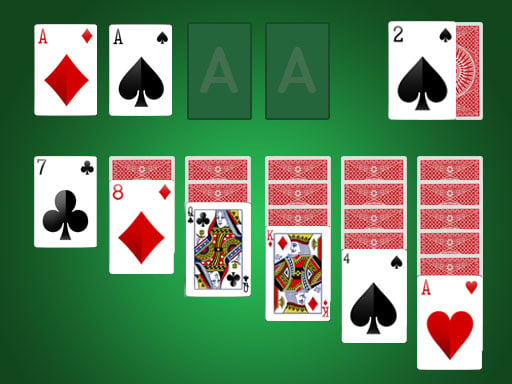
Spider Solitaire is a free card game you can play right in your web browser on desktop and mobile devices. This stylish take on the classic solitaire card game challenges you to organize and clear all the cards from the table by building sequences in descending order. Drag and drop cards across the tableau to create winning combinations and complete each puzzle.
About the Game
Spider Solitaire brings the timeless card game to your browser with a clean, modern design that works smoothly on any device. Unlike standard solitaire games, Spider uses eight decks of cards and requires you to think ahead about your moves. The goal is straightforward but challenging: arrange all cards into complete sequences from King down to Ace, and once a sequence is complete, it disappears from the board. The game progresses through the puzzle as you create and clear these sequences. Each move matters because unlike some solitaire variants, your options become limited as the game goes on. The elegant presentation keeps the focus on strategy and card placement, making it perfect for quick gaming sessions or longer puzzle-solving marathons.
How to Play
Your objective is to build complete sequences of cards in descending order, starting with a King and ending with an Ace. Any King can start a new sequence, but subsequent cards must match the suit and follow the exact descending pattern: King, Queen, Jack, 10, 9, 8, 7, 6, 5, 4, 3, 2, Ace. When you successfully complete a full sequence, those cards are removed from the board automatically. You have one draw pile that you can tap or click when you need more cards. Drawing from the pile deals additional cards to the table, giving you fresh options for creating sequences. The challenge lies in managing your visible cards strategically, because once you draw new cards, you lose access to the ones currently on the table. Plan ahead and think about which sequences are worth pursuing before you reach for the draw pile.
Controls
The game uses simple, intuitive controls that work the same way on desktop and mobile. On desktop, click on a card to select it, then click on another card or location to move it. You can also drag cards directly from one spot to another by clicking and holding, then dragging to your target position. On mobile devices, tap and hold on a card, then drag your finger to the desired location and release. The draw pile appears as a separate stack that you tap or click when you need new cards. Cards must be moved one at a time or in valid sequences, and the game prevents illegal moves automatically.
Tips for Higher Scores
Plan several moves ahead before you draw new cards, since drawing is a major commitment that reshuffles your available options. Try to uncover new cards beneath the ones currently visible by moving cards strategically. Keep a few empty columns open on the board when possible, as they give you flexibility to rearrange cards and create better sequences. Prioritize completing full sequences even if it means temporary setbacks, because clearing cards from the board opens up new possibilities and new card reveals. Don't rush to use your draw pile unless you are truly stuck with no legal moves available. Building longer sequences before drawing gives you more control over the puzzle. Watch for hidden cards that might complete sequences faster than you initially thought.
Modes and Levels
Spider Solitaire presents its challenges as a series of progressively engaging puzzles. Each game plays out on a tableau with columns of cards that you arrange and clear. The puzzle nature of the game means every board presents a unique arrangement requiring different strategic approaches. As you advance, you encounter new card configurations that test your planning and decision-making skills. The game maintains consistent rules throughout, so your strategy improves with practice rather than the rules changing. Every session offers a fresh puzzle to solve, keeping the gameplay varied and rewarding for players who enjoy the thinking aspect of card games.
Controls
Keyboard and mouse
- Click on a card to select it
- Drag and drop cards to move them to a new position
- Click the draw pile to deal new cards when needed
Touch
- Tap and hold on a card to grab it
- Drag your finger to the target location
- Release to drop the card in place
- Tap the draw pile to deal new cards when needed
FAQ
- Do I need to download anything to play Spider Solitaire?
- No, you do not need to download anything. Spider Solitaire runs directly in your web browser, so you can start playing immediately by visiting the game page.
- Can I play Spider Solitaire on my phone or tablet?
- Yes, Spider Solitaire works perfectly on mobile devices including phones and tablets. The touch controls adapt automatically, and the game layout adjusts to fit your screen.
- Is Spider Solitaire completely free to play?
- Yes, Spider Solitaire is completely free. You can play as many games as you want without paying anything.
- Can multiple people play Spider Solitaire together?
- Spider Solitaire is a single-player puzzle game designed for individual play. There is no multiplayer or competitive mode.
- What happens if I get stuck and cannot make any moves?
- If you cannot make any legal moves with the cards on the table, you can draw new cards from the draw pile to get fresh card options and continue playing.
- Do I lose progress if I close the game?
- Each game of Spider Solitaire is independent, so when you close the game, that particular puzzle session ends. The next time you play, you will start a brand new game with a fresh card layout.