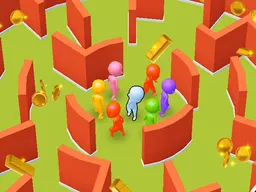
PaddleBall - Free Arcade Game
PaddleBall is a free arcade game that runs directly in your web browser on desktop and mobile devices, where you control a paddle to keep a ball in play and rack up points through quick reflexes and precise timing.
What Is This Game
PaddleBall is a straightforward arcade experience built around a single core mechanic: controlling a paddle to hit a ball back and forth across the screen. The moment you start, you're thrown into action with a ball already in motion. Your job is to position your paddle underneath or wherever the ball comes at you and keep it bouncing. Miss the ball, and that attempt ends. Hit it cleanly, and your score climbs. There's no story mode, no cutscenes, and no setup time. You jump in and immediately start playing. The game runs at 1280 by 720 pixels, which means it works smoothly whether you're on a desktop monitor or a mobile phone held in portrait or landscape. Since it's browser-based, there's nothing to download or install. Just load it up and start playing within seconds.
Is It Worth Playing
PaddleBall appeals to players who want a quick gaming session without commitment. If you enjoyed classic paddle-based arcade games, this delivers that same satisfying hit of immediate challenge and scoring. The game shines when you're looking for something to pick up for five minutes between tasks or during a break. There's no progression system to chase, no levels to unlock, and no narrative threads pulling you forward. What you get instead is pure arcade feedback: you control the paddle, you see the ball react, you watch your score change. For some players, that simplicity is exactly what makes it worthwhile. For others chasing story, exploration, or long-term goals, it won't hold the same appeal. The sweet spot is hitting the paddle with precision and feeling the immediate result. Each session is independent, so you can approach it fresh every time without worrying about losing progress or falling behind. The game also features a scoreboard, which gives you and anyone else playing a visual record of the best performances.
How to Get Started
Loading PaddleBall is instant. Open your browser, navigate to the game, and it loads directly in the window. You don't need an account, you don't need to create a profile, and you don't need to download anything. Once the game window appears, you'll see the paddle at the bottom of the screen and the ball already moving. Your first action is pressing or tapping to activate the game, and from that moment, the ball is in play and heading toward you. In your first thirty seconds, you'll move the paddle to meet the incoming ball and watch it bounce back up the screen. If your timing is off and you miss it, the game ends and shows you your score. That's the complete loop. There's no tutorial explaining advanced techniques because there aren't any hidden mechanics to learn. The game shows you what to do through immediate play. If you miss the ball on your first try, try again. If you hit it cleanly, keep watching where it's headed and prepare for the next shot. The options and settings menu lets you adjust how the game feels and plays, so you can tailor the experience to your preference before or between games.
Controls
On desktop, you control the paddle by pressing anywhere on the screen or using your mouse to position it left and right. The paddle follows your input with smooth movement, so you can make quick adjustments as the ball approaches. On mobile devices, you tap anywhere on the screen to move the paddle in that direction. The mechanics are identical across platforms, but the responsiveness feels different depending on your device's touch latency. Players on phones with faster screens notice quicker paddle feedback. The game is designed so that these inputs feel natural whether you're sitting at a desk or holding your device. There are no keyboard shortcuts to memorize, no combo buttons to press, and no hidden control schemes. Everything flows through that single input method.
What Changes Over Time
PaddleBall v1.0 is a stable release with updates planned for the future. Currently, the game features smooth paddle movement that responds immediately to your input, a scoreboard that tracks your performance and lets you see how you stack up, and a settings menu where you can tweak the experience. As you play multiple sessions, you'll notice your own skill improving. The first few times, you might miss the ball within ten or fifteen bounces. After some practice, you'll extend that to twenty, thirty, or more consecutive hits. Your score becomes a personal benchmark. The scoreboard lets you see where you rank against other players or your own personal best. The developers have indicated that more options and settings are coming, which means future updates may introduce adjustable difficulty, visual themes, or other refinements that give players more control over how they experience the game.
Mistakes That Cost You
The most expensive mistake in PaddleBall is hesitation. The ball moves at a set pace, and if you're too slow moving the paddle to intercept it, the ball passes beneath you and the round ends. Players new to the game often make this mistake on their first few attempts while they're calibrating how fast they need to react. The second mistake is overcorrecting. Once you understand the ball's trajectory, some players move the paddle too far left or right, overshooting the point where the ball actually comes down. This doesn't immediately end the game, but it sets up a rushed recovery for the next bounce. Timing matters more than speed here. Another trap is assuming the ball follows a perfectly predictable arc. Small variations in angle or bounce can shift where it lands, so you can't completely autopilot your reactions. You have to stay focused for every single hit. Losing concentration for even one bounce can turn a twenty-hit streak into a game over. Some players also struggle with the transition from desktop to mobile controls or vice versa. The timing is the same, but the input method feels different, and it takes a few attempts to readjust. Jumping between devices in rapid succession can throw off your rhythm.
Where and What Device to Play On
PaddleBall runs in any modern web browser on any device with an internet connection. Desktop players can open it on Windows, Mac, or Linux machines using Chrome, Firefox, Safari, Edge, or any other browser. Mobile players can play on smartphones and tablets running iOS or Android. The game scales to fit different screen sizes while maintaining its 1280 by 720 resolution, so whether you're on a five-inch phone or a fifteen-inch laptop monitor, the experience adapts. There's no performance requirement beyond basic browser functionality. Even older devices or slower internet connections should handle the game without stuttering, as the graphics are simple and the file size is small. Because it's browser-based, you can play on any computer you sit down at without needing to install anything or log in. You can switch from your phone to your friend's laptop and start a new game immediately. The game remembers your score on that specific device, but it doesn't sync across devices automatically. If you want to play on the go, mobile is convenient. If you want the most comfortable control with a larger screen, desktop is the better choice. Both deliver the same core experience.
Controls
Keyboard and mouse
- Press anywhere on the screen to move the paddle left or right
- Use your mouse to position the paddle underneath the incoming ball
Touch
- Tap anywhere on the screen to move the paddle toward that side
- Keep your finger or thumb ready to tap quickly as the ball approaches
FAQ
- Is PaddleBall really free to play
- Yes, PaddleBall is completely free to play in your browser with no download required. You can start playing immediately without creating an account or spending money.
- How does the scoreboard work
- The scoreboard tracks your score based on how many times you successfully hit the ball before missing. Each hit increases your score, and the scoreboard displays your best performances, letting you compare your personal records or see how you rank against other players.
- Can I play PaddleBall on my phone
- Yes. PaddleBall works on any smartphone or tablet with a web browser. The game automatically scales to fit your screen size, whether you're in portrait or landscape mode.
- What happens when I miss the ball
- When the ball passes the paddle without being hit, that game ends immediately. Your final score appears on screen, and you can start a new game right away. Each attempt is independent, so there's no penalty beyond losing that single round.
- Is there a way to make the game harder or easier
- PaddleBall has an options and settings menu where you can adjust various aspects of how the game plays. These settings let you customize the experience to match your skill level or preference.
- How long does one game of PaddleBall last
- A game lasts as long as you keep hitting the ball. Some players might miss within ten seconds, while experienced players can keep a rally going for minutes. There's no time limit or turn counter, just you and the ball until you miss.
- Can I play PaddleBall with another person
- PaddleBall is a single-player game. You control one paddle and compete against the ball. There's no multiplayer or two-player mode in the current version.
Similar games
More Arcade Games games →