Gangsters Game: Free Pixelated Shooting Action in Your Browser
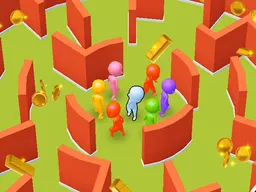
Gangsters is a free arcade shooting game you play right in your browser on desktop or mobile. You control a gang of three members and defend your turf against rival gangs using pistols, machine guns, and your fists. The pixel art style is retro, but the action is intense and physics-based—you'll need to coordinate your squad's movement and firepower to survive wave after wave of enemies.
What Is This Game
Gangsters drops you into a top-down arcade battle where you're responsible for managing three gang members at once. Your job is simple on paper: keep your turf safe. In practice, it's chaos. Rival gangs come at you constantly, and you need to move your squad forward, aim, and shoot before they overrun you. The game uses physics for its combat, so bullets and punches have weight and direction. You'll pick up different weapons as you play—pistols for quick shots, machine guns for sustained fire—and each one handles differently. The graphics are deliberately pixelated and retro, giving the whole thing a gritty, arcade-cabinet feel from the 1980s. Despite the simple visuals, the gameplay is genuinely demanding. You can't just charge forward blindly; positioning and timing matter. The game supports both single-player and two-player modes, so you can team up with a friend on the same keyboard or go solo against the AI gangs.
Is It Worth Playing
If you like arcade shooters with real challenge and don't mind managing multiple characters at once, yes. Gangsters doesn't hold your hand. The first few attempts, you'll probably get overwhelmed because you're juggling three squad members while tracking enemy fire from multiple angles. But once you understand that you need to move as a unit and pick your shots carefully, it clicks. The physics-based combat means every weapon feels distinct—a machine gun shreds through groups but burns through ammo fast, while a pistol is more precise but slower. The pixel art aesthetic appeals to retro game fans, but it's not just nostalgia; it keeps the visual chaos readable even when multiple fights are happening on screen. Two-player mode adds another layer since you can coordinate with a friend, or compete against each other. It's the kind of game that's easy to pick up for a quick session but hard to put down once you start chasing higher scores. If you want something action-packed, tactical, and genuinely arcade in spirit, this delivers.
How to Get Started
Click play and you'll spawn into your turf with your three gang members standing ready. The game immediately tells you what's coming: rival gangs moving toward you from the edges of the screen. In those first thirty seconds, you'll learn the core loop—you move your squad forward, raise their arms to aim, and fire. Enemies don't wait for you to figure it out. They're already advancing. Your first instinct will be to charge at them, but that's how you lose. Instead, move methodically, keep your squad together, and focus fire on one enemy at a time. Position matters more than raw firepower. If you get separated or let enemies flank you, you'll get pinned down fast. As you survive longer, you'll encounter different enemy types and layouts that force you to adapt your approach. Early rounds are about learning to coordinate your three members without panicking. Later rounds introduce pressure and speed. The game doesn't have traditional levels with cutscenes or story beats; it's pure survival arcade action that gets harder the longer you last.
Controls
The game is built around keyboard control, with two-player support using different keys for each player. Player One moves the squad forward with W and uses the E key to raise arms and fire weapons or throw punches. Player Two has a mirrored layout: I to move forward and O to fire. This split-keyboard setup is standard for arcade two-player games and works smoothly once your muscle memory locks in. On mobile or touchscreen devices, controls adapt to tap and drag mechanics. You'll use taps or swipes to move your squad and tap-and-hold or dedicated buttons to aim and fire. The touchscreen version maintains the same tactical feel as keyboard play, though precise aiming is slightly harder on smaller screens. Both control schemes let you manage all three gang members as a unit—you're not switching between individual members, just positioning your whole squad and choosing when to engage.
What Changes Over Time
Gangsters doesn't have a traditional campaign, but the difficulty and enemy patterns escalate as you survive longer. Early waves are slow and telegraphed, giving you time to react. After a few minutes, the pace accelerates. Enemies become more aggressive, approach from multiple angles, and coordinate their attacks. Weapons you find scattered on the map change the tactical landscape—picking up a machine gun swings the momentum in your favor temporarily, but it's heavy on ammo. You'll need to decide whether to stockpile or use your strongest weapon immediately. The longer you last, the more chaotic the screen becomes. Managing three squad members while tracking five or six enemy gangs all firing simultaneously is a completely different challenge from the early game. Some players will find a rhythm and climb high scores; others will hit a wall where the coordination demand exceeds their skill. There's no progression system that makes your gang permanently stronger, so every run starts fresh—your only advantage is learning enemy patterns and refining your positioning tactics.
Mistakes That Cost Dearly
The most common trap is treating this like a run-and-gun game. Pressing forward constantly gets you surrounded fast. Your squad has no shield or dodge mechanic; if enemies shoot you, you take damage directly. Learning to hold ground and pick your engagements is essential. Another easy mistake is tunnel vision on one enemy. If you focus too hard on eliminating one threat, the gang approaching from the side will catch you in a crossfire. Keep scanning the full screen. Weapon management is also deceptive. That machine gun is tempting, but burning through ammo on weak enemies wastes it when a boss-tier rival gang shows up. Ammo is limited and respawns are on timers, so you need discipline. In two-player mode, the biggest mistake is poor communication. If one player pushes while the other retreats, you'll get separated, and isolated squad members go down fast. Successful two-player runs depend on reading your partner's movements and adapting together.
Where and What Device to Play On
Gangsters runs entirely in your web browser—no download, no installation, no launcher required. Visit Atomo Play, search for the game, and start playing immediately. It works on desktop computers running any modern browser: Chrome, Firefox, Safari, Edge all handle it smoothly. The game is built for a 1280x720 resolution, which is a standard widescreen format that scales well across different monitors. If you're on a laptop or ultrawide, it'll fit without any issues. Mobile and tablet play is fully supported. The game detects your device and switches to touch controls automatically. Phones with portrait screens will rotate the game to landscape for better visibility since the arena is wide. Tablets give you more screen real estate, which actually makes it easier to track all three squad members and incoming threats. The mobile version performs well even on mid-range devices—this isn't a graphics-heavy game, so frame rate stays consistent. Battery drain is minimal for extended play sessions. Whether you're playing on a desktop with a mechanical keyboard, a laptop trackpad, or a phone screen, the core experience is the same: intense, pixelated gang warfare with high skill ceiling.
Controls
Keyboard and mouse
- Player One - W to move squad forward, E to raise arms and fire weapons or punch
- Player Two - I to move squad forward, O to raise arms and fire weapons or punch
- Control all three gang members as one unit; movement and firing applies to your whole squad
Touch
- Tap and drag or swipe to move your squad forward across the arena
- Tap dedicated fire button or tap-and-hold to aim and shoot weapons or punch
- Game rotates to landscape automatically for better visibility
- Control all three gang members as one unit with touchscreen taps and swipes
FAQ
- Can I play Gangsters solo or do I need another player
- You can play solo against AI-controlled rival gangs, or you can play two-player with a friend on the same keyboard. Solo mode is the default experience and actually teaches you the game faster since you're not coordinating with another person. Two-player mode is harder because you're splitting focus between controlling your player's squad and watching your partner's side, but it's rewarding when you and your friend sync up.
- What's the goal—is there a way to win
- There's no end state or final boss. The goal is pure survival: hold your turf as long as possible against endless waves of rival gangs. Your score is how long you last before your squad gets overwhelmed. It's a classic arcade high-score chase rather than a story-driven campaign.
- Do I need to be good at shooting games to play this
- Not necessarily. Gangsters is more about positioning and squad management than twitch reflexes. The challenge is keeping your three members alive and moving as a unit, not pulling off pixel-perfect shots. Beginners can have fun, but mastering the timing and tactics takes practice.
- What weapons are in the game
- You'll use pistols and machine guns during combat. Pistols are faster to aim but fire slower. Machine guns spray bullets but chew through ammo. Your gang members can also punch enemies up close. The distributor mentions these as examples, so there may be other weapons that spawn randomly during matches.
- Does it work on my phone without downloading an app
- Yes. Gangsters is a browser-based game, so you just open it in Safari, Chrome, or any mobile browser and play. No app download needed. It adjusts automatically for touchscreen and portrait-to-landscape orientation.
- Is this similar to Infamous or Gangsters Paradise
- Only in theme. Those are different games entirely. This Gangsters is a top-down arcade shooter about defending your turf with a squad of three members. It's arcade action, not an open-world game or story experience.
- Do I need to pay money or watch ads to keep playing
- Gangsters is completely free to play in your browser. There are no paywalls blocking gameplay or energy systems limiting your sessions. You can play as much as you want without spending money.
- What happens if I get my whole gang defeated
- Your run ends and your score is recorded. You can immediately start a new game. Each run is independent with no permanent progression, so every attempt is a fresh start from wave one.
Similar games
More Arcade Games games →