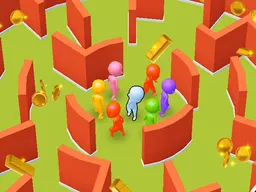
Eyes of Horror
Eyes of Horror is a free arcade game that runs in your web browser on desktop and mobile, where you sprint through a 3D environment collecting pictures that either boost your run or make it harder. Each image you grab triggers different effects—some extend your streak, others spawn enemies or obstacles—and your goal is to gather enough pictures to win before time runs out or the hazards catch up.
What Is This Game
Eyes of Horror drops you into an endless arcade sprint where collecting pictures is everything. You move through a 3D space using WASD or touch controls, dodging obstacles and chasing down floating images scattered in your path. The catch is that every picture you collect does something different. Some might give you a speed boost or extend your run indefinitely, while others trigger negative effects—spawning enemies, creating barriers, or forcing you to react faster. Your objective is straightforward: grab a specific number of pictures to win the level. The game sits somewhere between the pressure of Flappy Bird and the collectible hunger of endless runners, except here the items you're chasing actively reshape the difficulty as you play. The horror theme comes through in the enemy encounters and the tension of not knowing whether the next picture will help or hurt.
Is It Worth Playing
Eyes of Horror works if you enjoy arcade games where one bad decision kills your run and you immediately want to try again. The unpredictability of the pictures keeps you guessing—you can't just memorize a path and zone out, because the game changes its rules on you mid-run. Each session feels fresh because the bonus system means no two runs play the same way. The 3D perspective adds visual depth that lifts it above flat 2D arcade games, and the ghost theme gives it atmosphere without being a full horror experience. It's bite-sized: rounds end quickly, so you can squeeze in a few attempts during a break. The trade-off is that the game relies heavily on luck and reaction time, so if you get frustrated by RNG affecting your score, or if you prefer strategy over reflex, you might bounce off faster. For anyone who lives for that one-more-run feeling, though, it's solid. Free to play, no download, no ads blocking you from jumping in right now.
How to Start
Launch the game from your browser and you'll immediately see your character and the 3D runway ahead. The interface shows your picture count and how many you need to collect to win. There's no lengthy tutorial—you're placed into the action fast. The first thirty seconds are almost always survival: you move forward automatically, and you need to steer around obstacles while spotting the first pictures. Your brain is still catching up to the controls and the camera angle, so the early attempts often end in a collision before you've grabbed even one picture. Once you land your first collect, though, something clicks. You see how the game rewards you immediately—maybe your movement feels smoother, or the run extends. From that point on, you're hunting. You start predicting where pictures might spawn, you understand that some enemies on screen mean a negative picture hit you, and you begin to weigh risk: do you chase that picture near an enemy, or play safer and collect the ones in clear space? The game doesn't hand you a manual; it teaches through failure and repetition, which is classic arcade design.
Controls
On desktop, use the WASD keys to move your character through the 3D space. W moves forward, A strafes left, S moves backward, and D strafes right. These are your only inputs for navigation; the game handles your forward momentum automatically so you focus on steering. On mobile and tablet, an on-screen controller appears on the left side of the screen with directional buttons that let you move in the same four directions. The touch controls are mapped to your finger swipes or taps on the virtual pad, making it accessible even if you're playing one-handed. There's no jump or crouch button—your movement is purely lateral and forward/backward, keeping the control scheme lean and letting you focus entirely on collecting pictures and avoiding obstacles. If you're on a phone, the game scales down to fit your screen while maintaining the same playability.
What Changes Over Time
As you progress through attempts, the picture collection mechanic reveals more depth. Early on, you're just trying to survive long enough to understand what each picture does. But the longer you play, the more you notice patterns in how the game distributes bonuses and penalties. You start recognizing which pictures are safe bets and which ones come with hidden costs. The difficulty also ramps: as you collect more pictures, the spawn rate of enemies or obstacles increases, forcing you to make faster decisions. You might hit a threshold where one more picture win could break the run open, but the game suddenly floods the screen with hazards, turning the final stretch into a gauntlet. Some runs feel completely different because a single early-game picture triggered an endless-run bonus, meaning you could theoretically collect forever if you stay alive long enough. Other runs end quickly because a negative picture locked you into a harder mode. This variability is by design—Eyes of Horror doesn't get easier or harder in a linear way, but rather shifts the goalpost based on your choices.
Mistakes That Cost Dearly
The biggest mistake is chasing every picture you see. Because pictures have mixed effects, you can't treat them all as wins. A picture that looks safe in the distance might trigger an enemy spawn the instant you grab it, and now that enemy is between you and your next safe route. New players often tunnel-vision on the collection goal and ignore the enemies stacking up on screen. By the time they realize they're surrounded, it's too late. Another costly error is poor movement prediction. The 3D space can fool your depth perception, especially early on. You think you're clear of an obstacle, but you actually clipped it at the last frame. Learning to trust your positioning takes a few runs. The game also punishes indecision hard. If you're standing still trying to figure out which picture to chase, enemies close in. There's always a momentum cost to hesitation. Finally, forgetting that a picture effect is active hurts you. If you grabbed a picture that changed your movement speed, and you're not accounting for that new speed, you'll misjudge your next dodge. The game doesn't pause to explain what just happened, so you have to stay mentally present or the consequences stack fast.
Where and What Device to Play On
Eyes of Horror runs directly in your web browser at 800x600 resolution, so there's nothing to install or download. Open it on any desktop computer—Windows, Mac, or Linux—and you're good to go immediately. The game is also fully playable on mobile phones and tablets in both portrait and landscape orientation. The resolution adapts to your device, so whether you're on a five-inch phone or a ten-inch tablet, the game scales without losing playability. You don't need a powerful machine; even older laptops or budget smartphones run it smoothly because the 3D graphics are optimized for arcade performance rather than photorealism. Atomo Play hosts the game, so you just visit the site, find Eyes of Horror, and hit play. No account required, no sign-up, no ads preventing you from starting. If you prefer to play on your phone during lunch or on your desktop during downtime, the same save state doesn't follow you across devices, but you can pick up and play a fresh run anytime from any machine. The browser-based approach means you can also switch between devices mid-day without friction.
Controls
Keyboard and mouse
- W: Move forward
- A: Strafe left
- S: Move backward
- D: Strafe right
Touch
- Tap and hold the on-screen directional pad on the left side of the screen
- Swipe in any direction to move forward, backward, left, or right
- The character moves automatically; you only control steering
FAQ
- What exactly do the pictures do when I collect them?
- Each picture triggers a specific effect that either helps or hurts your run. Some pictures might extend your endurance or grant a temporary speed boost, while others spawn enemies or create obstacles in your path. The game doesn't tell you in advance which pictures are beneficial and which are risky, so collecting them is part of the strategy and discovery. You learn through trial and error which images are worth chasing and which ones to avoid.
- How many pictures do I need to collect to win?
- The game sets a target number of pictures for each run, and you'll see that goal displayed on screen. The exact number can vary, but your objective is always to reach that target before enemies or obstacles end your run. Different runs might have different targets, which adds to the variety.
- Can enemies kill me or do I just get stopped?
- Contact with enemies ends your run. There's no health bar or second chances—if an enemy catches up or you hit an obstacle, the game over screen appears and you restart. This is classic arcade design: one mistake, one death, try again.
- Is there a time limit or can I run forever?
- Some pictures grant endless-run bonuses, meaning you can technically keep going indefinitely if you stay alive and keep collecting. However, obstacles and enemies increase as you progress, so eventually the difficulty spikes enough that most runs end naturally. There's no hard time cap that automatically ends your game.
- Do I need to download anything or create an account?
- No. Eyes of Horror plays entirely in your web browser with no download required. You can start playing immediately without signing up or installing software on your computer or phone.
- Does the game work on my phone?
- Yes. Eyes of Horror is designed to work on mobile phones and tablets as well as desktop computers. The game adapts to your screen size and provides touch controls for mobile play, so you can pick it up on your phone without any issues.
- What's the difference between the 3D perspective and a regular 2D arcade game?
- The 3D view gives you depth—you can see enemies and pictures coming toward you from a distance, which changes how you read the space and plan your moves. It adds visual polish and makes dodging feel more dynamic than a flat top-down or side-scrolling view. The depth perception also makes the learning curve steeper because you have to judge distance as well as direction.
- Can I play this with a controller instead of keyboard?
- The game is designed for keyboard (WASD) or touch controls. Depending on your browser and operating system, some gamepads may work if your browser recognizes them as a keyboard input, but the game itself is optimized for WASD and on-screen buttons, not a dedicated game controller.
Similar games
More Arcade Games games →