Traffic Signal Road - Free Racing Game in Your Browser
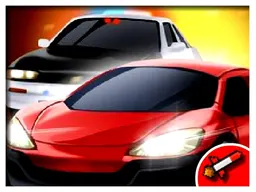
Traffic Signal Road is a free racing game you play right in your browser on desktop and mobile, where you navigate through busy city streets by dodging oncoming cars and staying on the road without crashing. You control a single vehicle through endless urban traffic, testing your reflexes and decision-making as the chaos around you builds in intensity.
Your First Minutes
You start in a simple driving scene with one car on a city street. The first few seconds establish the core loop: you move forward automatically, and your only job is to steer left and right to avoid other vehicles coming toward you or beside you. There's no countdown, no tutorial text—just immediate action. Within thirty seconds you'll either thread through a gap between two cars or collide with one. The first collision happens fast, usually within your first or second attempt, which teaches you the stakes immediately. The game restarts just as quickly, so you're back in traffic almost before you process what went wrong. By the five-minute mark, you've learned that timing your moves matters more than reflexes alone: you need to read the spacing between vehicles and commit to your lane changes early.
Main Mechanics
Traffic Signal Road operates on a straightforward principle: your vehicle moves forward constantly through a stream of oncoming traffic, and you must navigate around obstacles to survive. Other cars appear in various lanes, moving toward you or across your path. The challenge isn't speed—it's decision-making under pressure. Each vehicle you successfully pass extends your run, and the longer you survive, the more vehicles enter the road, creating denser traffic patterns. There's no scoring system of points or currency mentioned; your only metric is how long you stay intact. The game treats every collision as final—one crash ends your current attempt. This creates a high-stakes atmosphere where a single mistake resets your progress, pushing you to play more carefully with each restart. The difficulty curve is built into the traffic density itself: early attempts feel manageable because cars are spaced apart, but after surviving for thirty seconds or more, the road becomes genuinely crowded.
Controls
On desktop, you steer using your keyboard: the left and right arrow keys (or A and D keys) move your vehicle between lanes. Some versions support mouse control as well, where you click left or right sides of the screen to change direction. On mobile and tablets, the control scheme adapts to touch: tap the left side of the screen to move left, tap the right side to move right. The steering is responsive and immediate—there's no acceleration phase or momentum to manage. You press a direction and your car shifts lanes almost instantly. This simplicity means the challenge is pure navigation, not fighting clunky controls. Beginners often oversteer, changing lanes too early or too many times, which leaves them stranded in traffic. The control setup forces you to commit: pick a lane and hold it until the moment you need to switch.
Mistakes Everyone Makes
New players typically panic when they see oncoming traffic and change lanes too early, crossing paths with vehicles they could have simply waited for. You'll also see beginners tap or press the direction key repeatedly, thinking faster input means better dodging—it doesn't, and it usually results in swerving back into a car you just avoided. Another common error is fixating on the car directly ahead while ignoring traffic in adjacent lanes. A vehicle might be coming from the side, and if you're focused on the center lane, you'll drift into it. The most costly mistake, though, is hesitation: pausing to think rather than committing to a lane choice. In a game where cars keep moving toward you, indecision kills you faster than wrong decisions do. Your goal is to flow through traffic, not to find a perfect path—because one doesn't exist. Once you stop trying to be perfect and start reacting fluidly, your survival time jumps significantly.
When It Gets Hard
Around the thirty-second mark—roughly when you've dodged fifteen to twenty vehicles—the traffic density shifts noticeably. What felt like manageable spacing becomes a gauntlet. Cars now fill multiple lanes simultaneously, and gaps appear and close faster than before. This is where players either develop rhythm or get frustrated. You start noticing patterns: certain vehicles cluster together, creating dead zones, while other moments offer brief windows to shift lanes safely. The difficulty isn't random; it's designed to accelerate in a way that feels chaotic but remains fair. The hard phase tests whether you've internalized the timing, or if you're still reacting visually to every single car. Most players hit a wall around forty seconds where they can't seem to push further, not because the game is unfair, but because they're not anticipating traffic anymore—they're just responding. Breaking through that barrier requires a mental shift from panic-dodging to pattern-reading.
How to Actually Improve
Stop trying to memorize patterns and start learning to read gaps. Watch the space between cars, not the cars themselves. When you respawn after a crash, spend your first ten seconds just observing the rhythm of traffic rather than reacting frantically. You'll notice that after you dodge a pair of vehicles, there's usually a brief window—maybe two full seconds—before the next cluster arrives. Position yourself in that window and hold your lane. Practice committing to one direction rather than micro-adjusting. Many players lose runs because they're constantly shifting left and right by one lane, which burns up their safety margin. Pick a lane early and stay there until you're certain you need to move. Another technique is to watch your edges: focus on the left and right edges of the screen to spot incoming traffic in your peripheral vision, rather than tracking every vehicle in front. This gives you more reaction time. Finally, accept that some runs will end unluckily, and some will end because you made a choice that didn't work out. Neither matters—what matters is the next attempt. Players who improve fastest are those who treat each run as data, not as a judgment.
What to Expect After an Hour
After playing for an hour, you'll have a sense of your ceiling: how far you typically get before crashing, where your focus breaks down, and which traffic patterns still catch you off-guard. Most players develop a personal best around sixty to ninety seconds, though this varies widely. You'll notice that your early runs are usually worse than your later ones, because you're warming up to the rhythm of the game. The experience doesn't evolve dramatically after the first hour—there are no new mechanics, no unlocks, no progression systems mentioned. What changes is your mental game. You become more patient, more aware of your lane positioning, and more confident in reading gaps. Some players find that chasing personal bests becomes addictive; others appreciate the game as a quick, skill-based challenge to revisit occasionally. The game's appeal is in that pure test of driving reflexes and decision-making, not in unlocking content or leveling up. If you're the kind of player who enjoys arcade-style games that boil down to one core skill executed under pressure, you'll get consistent enjoyment from Traffic Signal Road. If you're seeking progression systems, story, or variety in mechanics, this isn't that experience.
Controls
Keyboard and mouse
- Left arrow or A key to move your vehicle to the left lane
- Right arrow or D key to move your vehicle to the right lane
- Some versions support clicking the left or right side of the screen instead
Touch
- Tap the left side of the screen to steer left
- Tap the right side of the screen to steer right
FAQ
- Is this game really free and do I need to download anything?
- Yes, Traffic Signal Road is completely free and plays directly in your web browser. There's no download, no installation, and no account needed. You can start playing immediately.
- Does it work on my phone or tablet?
- Yes. The game is designed to work on mobile and tablet devices as well as desktop computers. The screen adjusts to fit your device, and the touch controls replace keyboard input automatically.
- How do I actually win or beat this game?
- There's no final level or winning condition in the traditional sense. The goal is to survive as long as possible by dodging traffic. Each run ends when you collide with a vehicle, and then you can restart immediately to try beating your previous time.
- What happens if I crash into a car?
- One collision ends your current run immediately. You'll see your survival time and can restart right away to try again. There are no lives or health bars; it's one strike and you're back to the beginning.
- Is there a way to unlock different vehicles or cars?
- The description doesn't mention unlockables, vehicle upgrades, or cosmetic options. The game focuses on the core mechanic of navigating traffic rather than progression or customization features.
- Why do I keep hitting cars even though I pressed the direction key?
- Common causes are pressing the key too late (the car is already in your path), changing lanes into traffic in adjacent lanes you didn't notice, or over-correcting by switching directions multiple times. Try committing to one lane choice and holding it longer before your next move.
- Does the traffic follow patterns I can memorize?
- While there is structure to how traffic arrives, focusing on memorization usually backfires. Better approach: read the gaps between cars and react to the current spacing rather than trying to predict what's coming next.
Similar games
More Racing Games games →