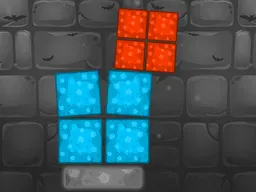
Tower Stacker Game - Free Online Stacking Challenge
Tower Stacker Game is a free arcade stacking challenge you play directly in your web browser on desktop or mobile. Click to stack blocks higher and higher while avoiding mistakes that will knock your tower down. Timing and precision matter more than speed as you work through increasingly difficult scenarios that test your focus and reflexes.
What Is This Game
Tower Stacker Game is a clicker-style arcade experience where your core job is simple: stack blocks on top of each other without letting your tower collapse. Each level presents a new stacking puzzle. You'll click to place blocks, and the challenge escalates as the game introduces new mechanics and tighter windows for precision. The game runs on HTML5, so there's nothing to download—just open it in your browser and start playing. It works on phones and tablets just as well as on desktop computers, and you can pick it up for five minutes or sink an hour into it without commitment. The vampire-themed aesthetic gives the whole thing a fun, slightly spooky vibe that sets it apart from generic block-stacking games you might find elsewhere online.
Is It Worth Playing
If you enjoy arcade games that reward practice over luck, yes. The appeal here isn't flashy graphics or a story—it's the satisfaction of beating your own high score. Each attempt teaches you something about timing. You'll fail plenty, especially once the game introduces obstacles or speed increases, but that's exactly what keeps you coming back. The low barrier to entry (just click and go) means you won't feel frustrated by menus or tutorials. Within thirty seconds of loading, you're already playing. The game respects your time: sessions can be as short as you want, and there's no grinding or waiting between attempts. Stacker challenges work best for players who like quick feedback and the chance to improve through repetition. If you're looking for something to play while watching videos or during a break, this fits perfectly. The arcade nature means it's designed to be picked up and put down instantly.
How to Get Started
Load the game in any modern web browser. No sign-up required, no download, no plugins. The game will load within seconds on a decent internet connection. You'll see your starting level immediately. Read any on-screen instructions for that particular challenge—each one may have a slightly different rule or mechanic. Then make your first click. The game is designed so that the first few levels teach you through doing rather than lengthy explanations. You'll understand the core loop (click, stack, avoid failure) in seconds. If you fail a level, you restart it right away with no penalty. There's no score penalty for dying; the only cost is that you have to try again. This forgiving structure means new players can jump in without feeling overwhelmed.
Controls
Desktop: Left-click your mouse to place blocks. That's the primary interaction. Some levels might require you to click at precise moments or click multiple times in succession, but the basic input stays the same. Mobile and Tablet: Tap the screen where you want to place your block. On smaller screens, the tap target stays large enough that accuracy is about timing and observation rather than finger precision. Keyboard: No keyboard input is required for gameplay, though you may use arrow keys or spacebar on some challenge types if the level demands it. Either way, the game is designed primarily around mouse clicks or touch taps.
What Changes Over Time
Your first few stacks are straightforward. You place blocks, they land, you stack higher. But as you progress, the game introduces complications. Blocks might start moving or rotating. The window of time to click might shrink. Some challenges require precise block placement within a narrower zone. Obstacles may appear that you have to navigate around. The game might add blocks of different weights or sizes. Speed ramps up gradually—your reflexes will be tested more as you advance. The difficulty curve is designed so that you never hit an impossible wall immediately; instead, each new mechanic is introduced gently and then made harder. By level ten or fifteen, assuming you progress that far, you'll be making split-second decisions that felt impossible when you started. The escalation is what keeps the game from becoming boring and forces you to pay attention rather than zone out.
Mistakes That Cost You
Your main enemy is impatience. Clicking too early or too late will cause your block to land off-center, making the tower unstable. A few misaligned blocks and gravity does the rest—everything falls. The second mistake is losing focus. Because individual levels are quick, it's easy to slack off mentally and rush. That's when you misread where a block needs to go or miss the window to click. Panic is another killer. When your tower starts leaning, the instinct is to rush your next move. Resist that. The tower might look bad but still be saveable with a careful, centered block. Some players also fail to adapt to new mechanics. If level five introduces a new rule, you need to absorb it and adjust your approach rather than playing on autopilot. The game punishes habit and rewards active thinking.
Where and What Device to Play On
Play Stacker online directly from Atomo Play in any web browser—Chrome, Firefox, Safari, Edge, or any other modern browser. No installation required. Desktop computers and laptops give you the most screen real estate and the easiest mouse targeting. Tablets and smartphones work perfectly too; the game scales to fit your screen. A standard mobile phone (even older ones) will run this HTML5 game smoothly. You don't need a powerful device or a lot of storage space. As long as you have a web connection and a reasonably recent browser, you're ready to play. The game saves no data locally, so you can play on any device without syncing accounts. Play at home, at work, on a train, or anywhere you have a few minutes and internet access.
Controls
Keyboard and mouse
- Left-click to place a block
- Click at the right moment to center blocks and build higher
Touch
- Tap the screen to place a block
- Tap at the correct time to align blocks and prevent your tower from toppling
FAQ
- Is Stacker really free?
- Yes. The game is completely free to play. You won't be asked for a credit card, and there's no paywall preventing you from accessing levels. You load it in your browser and play immediately.
- Do I need to download anything?
- No. It's a browser-based HTML5 game. Just visit the page and click to start playing. Works on any device with a web browser.
- What happens when I fail a level?
- You restart that level immediately at no cost. There's no score deduction or cooldown timer. You can attempt the same level as many times as you need.
- How many levels does the game have?
- The distributor doesn't specify an exact level count. The game is designed to keep escalating challenges, so there's always something harder waiting if you keep winning.
- Can I play this on my phone?
- Absolutely. The game runs at 800x600 resolution and adapts to mobile screens. Tap to place blocks just like you click on desktop. Works on any smartphone or tablet with a modern browser.
- What's the best strategy to avoid falling?
- Focus on centering each block carefully before you click. Don't rush. If your tower is leaning, place your next block in the center to stabilize it rather than trying to build higher. Patience beats speed in Stacker.
- Will this game work on an older device?
- Most likely yes. HTML5 games have broad device support. As long as your browser is reasonably up-to-date and your internet is stable, the game should run smoothly.
Similar games
More Clicker Games games →