Speed Racing
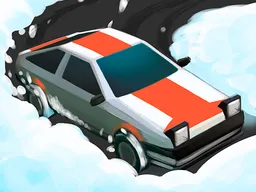
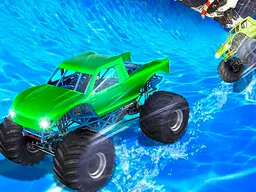
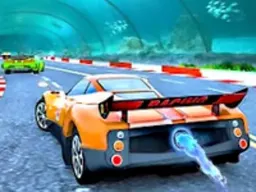
Speed Racing is a free racing game you play in your web browser on desktop or mobile, where you drive high-speed cars through varied maps, collect coins and power-ups, and compete in different racing modes with easy-to-learn controls and smooth 3D graphics.
Your First Few Minutes
You start by picking a car from the available selection, then the race begins immediately. The track appears ahead of you in full 3D, and right away you realize the game is about maintaining control at high speeds while staying on the road. The camera follows behind your vehicle as you accelerate forward. Within seconds you'll spot your first coins scattered across the track and some colored power-up icons that appear in your path. The difficulty isn't crushing you yet, so you get a feel for how the car responds to your inputs. You're learning that turning requires gentler inputs than you'd expect at these speeds, and that hitting the edges of the track slows you down noticeably. By the end of that first race, you understand the core loop: drive fast, collect coins, use power-ups when they help, and finish without crashing too much.
Main Mechanic
Speed Racing is built on straightforward racing physics where your primary goal is finishing the race ahead of opponents or within time limits while gathering resources along the way. The core mechanic revolves around managing your speed and steering precision simultaneously. As you drive, coins appear on the track that you automatically collect by driving over them, which builds up your currency for upgrades between races. Power-ups spawn during the race in distinct visual forms, and you trigger them by passing through them, gaining temporary advantages like speed boosts or defensive shields. The game includes multiple racing modes beyond basic races, each with different objectives and challenges. Your car handles differently depending on which vehicle you've selected, so switching between cars changes how responsive the steering feels and how quickly you accelerate. The physical handling system mentioned in the game's design allows high speeds while keeping controls accessible, meaning you won't need frame-perfect inputs to stay on track, but you also won't feel like the car is completely forgiving either.
Controls
On desktop with keyboard and mouse, you steer your car using the arrow keys or WASD depending on the control scheme the game offers. Left and right inputs turn your car, while up accelerates and down applies brakes or reverses. Some racing games of this style also let you use the mouse to control steering, dragging left or right to change direction. On mobile or touch devices, you have two main control options: tilting your device left and right to steer while the car accelerates automatically, or tapping and dragging on the screen to aim your steering direction. Most browser racing games auto-accelerate, so you're managing steering and occasional braking rather than holding down a throttle button. The game description emphasizes easy control, so expect the learning curve for basic driving to be shallow, though mastering precise turns at high speed takes practice.
Mistakes Everyone Makes
New players almost always overcompensate with steering. Because the speeds are high, your instinct is to turn aggressively when you see a curve approaching, but aggressive steering at high speed causes the car to slide outward and hit the edge, killing your momentum. You'll recover after a few races and learn to make smaller, earlier steering adjustments instead. Another trap is ignoring power-ups in favor of chasing coins. Coins feel rewarding because you see the number go up, but a well-timed speed boost or shield can be the difference between first place and falling behind, especially in later races. Newer players also try to brake too hard into turns. Since this game uses a physical handling system rather than arcade-style instant turns, hard braking followed by acceleration wastes time you could spend drifting through corners with smooth steering inputs. Finally, many people upgrade the wrong stats on their cars. It's tempting to max out top speed, but if your acceleration is too low, you'll never catch up to other racers after losing position, so balancing upgrades matters.
When It Gets Hard
The difficulty spike happens around the middle of the racing modes, where the game stops giving you room to make mistakes. In early races, other cars are slow enough that you can crash once or twice and still finish. Later, opponents drive at speeds where a single bad turn costs you the race, and the tracks introduce tighter turns and obstacles that demand precision. The jump isn't unfair, but it's definite. You'll also notice that the later racing modes don't have as many coins on the track, so you can't just grind the same race over and over for upgrades. This forces you to actually win races to progress, which means your car needs the right upgrades and your driving needs to be clean. The beautiful maps you were admiring for their scenery now become obstacles to navigate, with corners that look wider than they are and visual effects that can briefly distract you at critical moments. You'll hit a wall around races where the opponent AI gets genuinely competitive and the track layout punishes hesitation.
How to Actually Improve
Start by learning the track layout before worrying about upgrades. Spend your first few attempts on a new race just driving the course and remembering where the tight turns are, where you can take wider lines, and where power-ups typically spawn. Once you know the map, focus on smooth steering inputs rather than fast steering inputs. You'll go faster by making one clean turn than by making three jerky corrections. Second, upgrade your car's handling and acceleration before chasing top speed. A car that responds quickly to your input and picks up speed fast beats a car that goes 10 percent faster but accelerates like a truck. Third, collect power-ups strategically. Note where they spawn and plan to hit them just before sections where they're most useful, like a speed boost before a long straightaway. Finally, watch your braking zones. Instead of braking hard and early, brake later and lighter, carrying more speed into corners. This sounds dangerous but it's actually faster once you understand it. Many racing games reward this style of driving, and Speed Racing's handling system allows it if you're precise.
What to Expect After an Hour
After about an hour of play, you'll have won enough races to unlock several different cars and have upgraded your favorite one noticeably. Your driving will feel smoother and you'll understand why certain turns require certain approaches. You'll have experienced different racing modes and noticed which ones suit your playstyle better. By this point, the learning curve flattens out, and further progress depends on either grinding upgrades, finding your fastest car-to-track combination, or simply practicing until your inputs become instinctive. The game will have thrown enough variety at you that you've seen most of what it offers mechanically, though the specific challenges in later races will still feel fresh. You'll also have discovered whether the game's difficulty curve and progression system keep you engaged long-term or whether you prefer a different pace. The 3D graphics that seemed flashy at first will become familiar, and you'll start noticing small details like how different cars handle differently or how power-up timing can completely change a race outcome. Whether you keep playing depends on whether the grind to unlock new content and beat harder opponents appeals to you.
Controls
Keyboard and mouse
- Arrow keys or WASD to steer left and right
- Up arrow or W to accelerate
- Down arrow or S to brake or reverse
Touch
- Tilt your device left or right to steer
- Tap and drag on screen to control steering direction
- Car auto-accelerates, tap designated brake area to slow down
FAQ
- Is Speed Racing really free and do I need to download anything?
- Yes, it's completely free and runs directly in your web browser. No download or installation needed, just go to the game and start playing immediately.
- Can I play Speed Racing on my phone?
- Yes. The game works on both desktop and mobile devices. The screen adjusts to fit smaller displays, and touch controls let you steer by tilting your device or tapping the screen.
- What's the difference between the different racing modes?
- The game includes multiple racing modes with different objectives and challenges, though the exact differences vary by mode. Some focus on pure speed and placement, while others have unique rules or conditions. You unlock them as you progress.
- How do I upgrade my car and what should I upgrade first?
- You earn coins by collecting them during races and spend them in the upgrade menu between races. Prioritize handling and acceleration upgrades before top speed, since a responsive car that picks up speed quickly beats a fast but sluggish car.
- Do I play alone or against other players?
- The game supports both 1-player and 2-player modes. In single-player races, you compete against AI opponents. The 2-player option lets you race against another person on the same device.
- Why does my car feel slow even though I'm at full throttle?
- The game's physics allow high speeds, but your car's acceleration stat matters a lot. If you haven't upgraded acceleration yet, your car takes longer to reach top speed. Also, crashing or hitting track edges slows you down significantly, so smooth driving matters more than just holding forward.
- What are power-ups and how do they work?
- Power-ups are colored icons that appear on the track during races. Driving over them triggers a temporary effect like a speed boost or a defensive shield. They spawn at the same locations most races, so learning where they appear helps you plan when to grab them.
Similar games
More Racing Games games →