Pixel Car Racer - Free Retro Racing Game in Your Browser
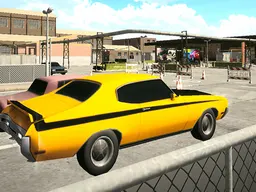
Pixel Car Racer is a free retro arcade racing game that runs in your web browser on desktop and mobile. Customize your dream garage, race against opponents, and drift your way to the top of the leaderboards with unlimited car modifications and street racing action.
What Is This Game
Pixel Car Racer takes you back to the golden age of arcade racing with a modern twist. You're building and racing your own vehicle in a pixel-art world where every detail of your car matters. The core loop is simple: customize your ride, take it to the streets, and race against other competitors to climb the ranks. The game puts you in control of a customizable car in what feels like a classic top-down or isometric racing view. You'll navigate courses, compete in races, and earn rewards that let you upgrade your engine, handling, and appearance. Unlike racing games that lock you into preset vehicles, this one lets you tweak nearly everything about your car to match your driving style. Whether you want a lightweight speedster or a heavily modified beast, you're building something uniquely yours. It's designed to be accessible—no downloads, no installations, just open your browser and start racing. The retro aesthetic gives it charm without demanding cutting-edge hardware, so it runs smoothly even on older machines and mobile devices.
Is It Worth Playing
Pixel Car Racer delivers something that appeals to two types of players: casual racers who want quick sessions, and gear-heads who love tuning. The racing itself moves fast enough that you feel the impact of your customization choices immediately. A small tweak to your car's stats can mean the difference between winning and crashing into a competitor. The customization depth is the real hook. You're not just picking a color; you're making mechanical decisions that affect how your car handles every turn. This means the game rewards experimentation. Your first few races might feel sloppy, but as you pour resources into upgrades and learn how your car behaves, you start dominating. The retro presentation might look simple at first glance, but it's actually efficient—it keeps load times short and lets you focus on racing and upgrading rather than watching cinematics. For players who've enjoyed other arcade racers or car customization games, the formula here feels comfortable and satisfying. You're always chasing the next upgrade, the next race, the next chance to test your setup against tougher competition.
How to Get Started
The game launches directly in your browser, so your first race happens within seconds of landing on the page. You'll start with a basic car—nothing fancy, but functional enough to understand the mechanics. Your opening races serve as a tutorial without feeling like one; you'll naturally learn how drifting works, when to brake, and which upgrades to prioritize. The menu is straightforward. You choose a race, jump into it, and after finishing, you're back to the garage. That's where the real gameplay loop begins. You'll see a list of upgrades available: engine parts, suspension, tires, body modifications, and visual customizations. Early on, you won't have enough currency for everything, so you'll make choices about what to upgrade first. Don't rush into random upgrades. The fastest car in Pixel Car Racer isn't always the best racer—handling and traction matter more than raw speed in the early stages. Winning races consistently is your goal, not just completing them. As you win, your earnings increase, and you unlock access to better parts and tougher opponents.
Controls
Pixel Car Racer uses keyboard controls on desktop and touch controls on mobile, keeping the interface simple so you can focus on racing. On desktop with a keyboard, you'll use the arrow keys or WASD to steer and accelerate. The up arrow or W moves forward, down arrow or S brakes or reverses, and left and right arrows turn your vehicle. Most arcade racers like this don't require complex button combinations—it's all about timing and smooth inputs. Drifting typically activates automatically when you turn sharply while at speed, so you're not juggling extra buttons. On mobile and tablet, you'll tap and swipe to control your car's direction. The touch screen registers your steering input as you drag across the play area, while acceleration and braking respond to screen pressure or dedicated on-screen buttons, depending on the exact implementation. Mobile play is fully supported, so you can race on the go without any loss of functionality—the 800x600 resolution scales cleanly to phone screens.
What Changes Over Time
Your first race and your hundredth race feel like completely different experiences because of how progression works. Early on, you're underpowered and every win feels earned. You'll notice your car is slow, it handles like a boat, and you barely edge out opponents. That friction is intentional—it drives you to upgrade. As you invest in parts, your car transforms. A new engine makes you faster. Better tires improve grip in corners. Lowering your suspension changes how you lean into drifts. Each change is tangible. You'll actually feel the difference between a car with no upgrades and one that's been fine-tuned, because the handling and speed are genuinely altered. The opponent difficulty scales too. Once you're crushing the early races, you'll face cars that are equally tuned or better. This means you can't just stack upgrades on your engine and call it a day—you need to balance performance. A car that's fast in a straight line but terrible at cornering will lose to a well-rounded competitor, even with a weaker engine. New races and tougher leagues unlock as you progress, keeping the challenge fresh. You're always working toward the next tier of cars, the next set of upgrades, and the next level of competition. The game continuously dangles the possibility of creating the perfect build, which keeps you racing.
Mistakes That Cost You
The biggest early mistake is upgrading the wrong parts. New players often max out speed first because it feels obvious—you want to be fast, right? But in Pixel Car Racer, a car that's incredibly quick but can't turn is useless. You'll overshoot corners, crash into walls, and lose races to slower but more agile competitors. Balance matters more than raw stats. Second, don't ignore your car's appearance as purely cosmetic. While visual customizations don't affect performance, they do signal to you what kind of build you're creating. Committing aesthetically to a drift car or a tank build helps you stay focused on complementary upgrades rather than randomly mixing strategies. Crashing during races costs you. Unlike some racing games with rewind mechanics, Pixel Car Racer is unforgiving—if you hit a wall, you lose time and position. Early races teach you the importance of precision. You'll learn quickly that aggressive racing without control leads to failure. Newer players often brake too late or too early, or they tap the accelerator when they should coast. As you get comfortable with the timing, you'll string together clean laps and start winning consistently. Finally, don't spend all your currency on cosmetics before establishing a competitive baseline. You need a car that can win races to earn the money for both performance and appearance upgrades.
Where and How to Play
Pixel Car Racer runs entirely in your web browser, no installation or download required. Visit Atomo Play, load the game, and you're racing within moments. The 800x600 resolution was chosen to work smoothly on everything from desktop monitors to mobile phones, so whether you're playing on a laptop, tablet, or smartphone, the experience scales appropriately. On desktop, you'll get the full experience with keyboard controls and a comfortable viewing window. On mobile, the same game adapts to portrait or landscape orientation depending on how you hold your device. Touch controls are optimized for phones, making it easy to steer and race with your thumbs. Because it's browser-based and doesn't require installation, you can play from anywhere—at home, at work, on a break, or while traveling. Just open the link and start a race. There's no account requirement or lengthy setup process. If you want to return later, your progress is saved, so you can pick up where you left off and continue building your dream garage.
Controls
Keyboard and mouse
- Arrow Keys or WASD to steer and accelerate (Up/W to go forward, Down/S to brake or reverse, Left/Right or A/D to turn)
- Sharp turns at speed automatically trigger drifting
Touch
- Tap and swipe left or right on the screen to steer your car
- Acceleration and braking controlled via on-screen buttons or screen input depending on implementation
- Works in both portrait and landscape orientation
FAQ
- What's the best car setup for beginners?
- Focus on balanced upgrades rather than maxing out one stat. A car with decent speed, good handling, and solid tires will beat a super-fast but uncontrollable car every time. Start by improving your engine slightly, then invest in suspension and tires to improve handling and grip. As you win more races, you'll earn enough to fine-tune everything.
- Does Pixel Car Racer have a multiplayer mode?
- You race against computer-controlled opponents in the game, competing to win races and climb the rankings. The focus is on single-player progression through career-style racing rather than direct online multiplayer, though you're always competing against the global leaderboards.
- Is it really free to play?
- Yes, Pixel Car Racer is completely free. You can play it for as long as you want without paying anything. There are no paywalls blocking progression or cosmetics—everything is accessible through normal gameplay.
- Can I play this on my phone?
- Absolutely. The game works on mobile phones and tablets with full touch controls. The interface scales to fit any screen size, and you can play in portrait or landscape mode depending on your preference.
- How does drifting work in this game?
- Drifting happens naturally when you turn sharply at high speed. It's not a separate button press—your car will slide around corners when you use the steering controls aggressively. Drifting is useful for taking sharp corners without slowing down, but it also costs you some control, so it's a risk-reward mechanic.
- What happens if I crash during a race?
- Crashing doesn't end the race, but it costs you time and position. You lose momentum and momentum and have to recover, which puts you behind competitors. This makes precision and careful steering important—reckless driving will lose you races.
- Can I customize my car's appearance?
- Yes, you can customize your car's visual appearance, including paint, body modifications, and other visual upgrades. These are purely cosmetic and don't affect performance, but they let you create a car that looks exactly how you want it.
Similar games
More Adventure Games games →