Minecraft Online
Minecraft Online is a free building and exploration game you can play right in your web browser on desktop and mobile devices, where you mine blocks, craft tools and structures, and create whatever you imagine in infinite procedurally generated worlds. Start with nothing but your hands, gather resources from trees and stone, build a shelter before nightfall when monsters spawn, and gradually unloc
The Game Idea
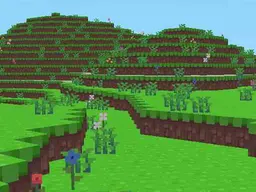
Minecraft Online puts you in a vast 3D world made entirely of blocks. You can break down almost anything you see—trees give you wood, stone yields pickaxes, dirt can be shoveled away—and recombine those materials into new objects. The core loop is resource gathering followed by crafting. You start with empty hands and must punch trees to get wood, then use that wood to make a crafting table where you unlock new recipes. Without shelter, you'll face a serious problem when the sun sets: hostile mobs like zombies and creepers emerge from the darkness and will attack. Surviving the first night forces you to think ahead, gather materials quickly, and build walls or a basic room before dusk. Once you've got a safe base, the game opens up. You can mine deeper into the earth looking for rarer materials like iron and diamond, explore biomes with different terrain and resources, build elaborate structures, or simply wander and experiment. There's no single winning condition—you set your own goals. That freedom is what draws millions of players: you could speedrun to diamond gear, build an underwater base, recreate famous landmarks, or just terraform an area into your ideal landscape.
How to Play
You begin in a world with nothing. Your first move is to gather wood by clicking on trees repeatedly—this is slow and clumsy, but it's the only way to bootstrap. Once you have a few wood blocks, open your inventory and craft them into wooden planks, then use four planks to build a crafting table. Place that table in the world and interact with it to access more recipes. Now you can craft a wooden pickaxe, which lets you mine stone. A stone pickaxe lets you mine iron ore. An iron pickaxe lets you mine diamond ore. Each material tier unlocks new possibilities. You also need to eat to stay alive—hunt animals for meat, cook it in a furnace, and consume it to restore hunger. Meanwhile, you should be building a shelter. During the day, monsters don't spawn in bright light, so you have time. Build walls around yourself, seal the roof, keep a door that monsters can't open, and you're safe for the night. As you progress, you can explore underground systems full of ore, discover villages with NPCs, locate strongholds and temples with loot, or venture into alternate dimensions. The game rewards both methodical planning—surveying your base, organizing your resources, designing structures—and spontaneous exploration. Beginners often die multiple times in the first hour, losing all their gear, which resets their momentum. The survival mode can feel punishing until you grasp the rhythm of the first day-night cycle.
Controls
On desktop, you use the mouse to look around—move it to turn your head and aim. The keyboard handles movement: W moves forward, A strafes left, D strafes right, and S backs up. The spacebar makes you jump. Left-clicking with the mouse destroys blocks or attacks mobs. Right-clicking places blocks from your inventory or interacts with objects like doors and crafting tables. You manage your inventory with the E key (or I on some versions), where you can craft, equip armor, and organize items. Number keys 1-9 let you quick-swap between tools in your hotbar. On mobile and touch screens, you get an on-screen joystick for movement on the left side, and tap-and-hold to mine or attack. The right side has buttons for jumping, crouching, and opening your inventory. Since the screen is smaller, your hotbar is always visible at the bottom, and you tap items to select them before placing or using them. The camera is harder to control on touch—dragging your finger turns your view—so mobile play is slower and more deliberate than desktop, but fully playable.
Strategies That Work
Experienced players know that the first night is critical. Spend your first day collecting wood and stone without wandering far from your spawn point—you need to know how to get back. Build your shelter before the light fades, even if it's just a small room. Use a door to prevent mobs from wandering in, and stay inside until dawn. Once that cycle completes, you've survived and can plan further. Resource management separates good players from frustrated ones. Don't waste iron on low-value tools like shovels or hoes—mine with stone until you have enough iron for the essentials: pickaxe, sword, and helmet. Food production should be a priority early; find animals and set up a farm or pen so you have a steady supply of meat. Mining technique matters too. Strip mining—digging a grid pattern at certain depths—is more efficient than random tunneling for finding diamonds and other rare ores. Always carry a bed in your inventory; if you're far from home and night falls, place your bed and sleep to skip to morning and reset your spawn point nearby. Never dig straight down or straight up—you'll either fall into a lava pit or suffocate under a sand block falling on your head. Light up areas as you explore using torches, which prevents mobs from spawning and helps you navigate back.
What Separates Good Players
Players who advance far fastest understand two things: efficiency and preparation. A strong player knows that certain blocks are irreplaceable on certain game difficulties—they don't waste diamonds on a hoe or replace a diamond tool with a stone one. They also think several steps ahead. Before going mining, they gather materials for torches, a bed, and a weapon, then pick a direction and a depth level, and commit to exploring methodically rather than wandering. They keep a mental map of their base and surrounding terrain so they can navigate home even if they get lost. PvP-focused or multiplayer players learn combat timing—attacking, backing away, and blocking at the right moments to maximize damage while dodging incoming attacks. Builders focus on planning their creations in advance, organizing materials by type, and using symmetry and repetition to make construction faster. The best players also embrace failure as information. When you die and lose your inventory, note what went wrong—Did you run out of food? Did a creeper sneak up? Were you mining too deep without backup equipment?—then adjust your next run. Panic is the enemy. A player who calmly builds a 3-high pillar when mobs approach will survive; one who sprints randomly off a cliff will not.
Variations and Modes
Minecraft Online offers different ways to play depending on what you want. Survival mode is the default and the one described above: you gather resources, manage hunger and health, and face mobs at night. The difficulty slider changes how aggressive mobs are and whether you can starve to death. Creative mode gives you unlimited blocks and lets you fly, removing all survival pressure—this mode is for players who want to build without limits. Hardcore mode is Survival with one life; if you die, the world is deleted permanently, raising the stakes enormously. Some servers or versions include Peaceful difficulty, where mobs never spawn, letting new players learn the crafting system and building without combat stress. Multiplayer servers let you play with other people in the same world, enabling collaboration on massive projects or competitive challenges. The game also supports custom maps and adventure maps made by other players, which have preset structures, puzzles, and objectives—these are like guided campaigns rather than open sandboxes. Some versions include modding support, letting players add entirely new items, mobs, dimensions, and mechanics, though the browser version may not support this fully.
Games Like This
If you enjoy Minecraft Online, you'll likely appreciate other sandbox and building games. Roblox offers user-created games with similar creative freedom, though the aesthetic and mechanics differ. Terraria combines mining and crafting with a 2D side-scrolling format and more emphasis on combat and bosses. Skins.com and similar sites let you customize Minecraft's appearance. Grounded is a survival game with a similar day-night cycle and resource progression, but in a backyard at tiny scale. Stardew Valley shares the relaxing resource-gathering loop but focuses on farming and relationships instead of combat and building. For pure building without survival elements, games like Lego Worlds or Creative mode in Minecraft itself remove pressure and let you experiment freely. If you want survival horror, Rust adds a PvP element where other players are the greatest threat. Each game takes different pieces of what makes Minecraft compelling—the progression, the creativity, the resource management, the exploration—and emphasizes different aspects.
Controls
Keyboard and mouse
- W - Move forward
- A - Move left
- D - Move right
- S - Move backward
- Space - Jump
- Mouse - Look around and aim
- Left click - Break blocks, attack mobs
- Right click - Place blocks, interact with objects
- E or I - Open inventory
- Numbers 1-9 - Quick-select items from hotbar
- Shift - Crouch and climb
Touch
- Left joystick - Move forward, backward, left, right
- Tap right side - Turn camera
- Jump button - Jump
- Tap and hold - Mine blocks or attack
- Tap item hotbar - Select tool or block to place
- Inventory button - Open inventory and crafting
FAQ
- Do I need to download anything to play Minecraft Online?
- No. Minecraft Online runs directly in your web browser on both desktop and mobile devices. Just click play and you're in the game. No downloads, no installation, no launcher required.
- What do I do in my first five minutes?
- Punch trees to gather wood. Open your inventory and craft the wood into planks, then craft four planks into a crafting table. Place the table on the ground, open it, and craft a wooden pickaxe and sticks for tools. Then start mining stone blocks with your pickaxe. The goal is to gather enough resources before sunset to build a small shelter, because mobs spawn at night and will kill you if you're outside.
- How do I get better gear and unlock new items?
- Better gear comes from better materials. Wood tools are slow and weak. Stone tools are faster. Iron tools (found deep underground) are better still. Diamond is the highest tier and requires an iron or better pickaxe to mine. Each material tier unlocks new recipes in the crafting table. As you unlock new gear, you can mine deeper, explore further, and face tougher mobs.
- Why did I die so suddenly and lose everything?
- The most common early deaths are starvation (you need to eat food), falling into lava while mining, or being killed by mobs at night because you didn't build shelter. Always carry a bed so you can set a respawn point far from home. Never mine straight down or dig without knowing where water or lava is nearby. If night is coming, get indoors immediately and close a door behind you.
- Can I play with friends?
- Yes, multiplayer is available in most versions of Minecraft Online. You can join servers where other players are building and surviving in the same world. Single-player survival is also an option if you prefer to play alone at your own pace.
- What's the goal? Is there a way to win?
- There's no single winning condition in Survival mode. You set your own goals: reach diamond tier, build a massive structure, explore every biome, defeat the final boss, or simply relax and build. Creative mode removes all goals and lets you build infinitely. The game is as competitive or relaxing as you want.
- Does this work on my phone?
- Yes. Minecraft Online runs on mobile browsers and uses touch controls. It's slower and more fiddly than desktop keyboard-and-mouse play, but fully functional. The game is designed to work on screens as small as 800x600.
Similar games
More Adventure Games games →