3D Cars
3D Cars is a free racing game that runs directly in your web browser on desktop and mobile devices, where you drive various cars across different maps and compete against the track itself. You'll steer your vehicle using keyboard controls, learning to balance speed with control as you navigate each course. The game starts you off simple—accelerate, brake, and turn—but quickly challenges you to mas
About the Game
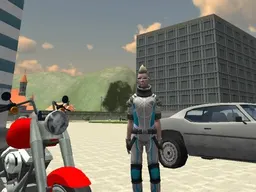
3D Cars puts you behind the wheel with a fleet of vehicles and multiple courses to conquer. This isn't a combat racer or a pursuit game—it's about driving skill, understanding how your car handles, and executing clean lines through each map. The game renders everything in 3D, which means you get a proper sense of depth and road positioning that flat 2D racers can't offer. You'll notice immediately that different cars feel different to drive. Some are more responsive, some take wider turns, and learning these distinctions is part of the progression. The maps aren't just random layouts either—each one has its own character, with tight corners, straightaways that let you test acceleration, and elevation changes that affect your momentum. The core loop is simple: start a map, drive from point A to point B without crashing, finish faster than your last attempt. Repeated playthroughs let you memorize the best route through each course and shave seconds off your time.
How to Play
When you launch 3D Cars, you'll select a car and a map, then the game places you at a starting position. Your objective is to complete the course without driving off the track or into obstacles. The game runs in real time, so you're always under pressure—slow down too much and you waste time, but push too hard and you'll lose control. The track guides you visually, and you'll quickly learn which areas demand caution and which let you go flat out. Early attempts usually end with you crashing into a barrier or sliding off a cliff because you misjudged a turn. This is normal and intentional—the game teaches you through failure. Once you understand a map's flow, you'll find the optimal line and start posting better times. There's no countdown timer adding urgency; it's just you, the road, and the clock. Some maps are forgiving and wide, perfect for beginners to learn basic steering. Others are narrow, winding, and unforgiving, demanding precision inputs and deep knowledge of your car's limits.
Controls
3D Cars uses straightforward inputs that feel natural for a driving game. On desktop, the W key accelerates your car forward, A steers left, S brakes or reverses, and D steers right. The Escape key pauses the game and returns you to the main menu if you want to quit mid-race. These WASD controls are the standard for browser-based racing and let you keep your fingers in one area of the keyboard. On mobile devices, the game adapts to touch input, typically offering on-screen buttons for acceleration, braking, and steering. The layout adjusts to your screen orientation and device type, so the controls feel native to a phone or tablet rather than a cramped port. The game runs at 960x600 pixels, a resolution that works well on smaller screens without sacrificing visibility. You'll see the entire track and have enough visual information to react to upcoming turns.
Tips to Score Higher
Scoring in 3D Cars is fundamentally about speed—completing a map in less time than before. The first tip is to memorize each track's layout. Drive slowly on your first attempt, learning where the big turns are, where the road narrows, and where obstacles sit. Once you've completed a map, you know what's coming, and you can push harder on the second run. Second, understand braking zones. New players brake too early or too late. Brake as late as possible before a turn, hit the apex of the corner at the tightest point, and accelerate out. This racing line principle sounds basic but takes practice to execute consistently. Third, match your car choice to the map. A lighter, more responsive car might handle tight sections well but feel twitchy on straightaways, while a heavier car might be stable at high speed but sluggish in technical sections. Experiment with different pairings. Fourth, keep your speed smooth. Jerky inputs—sharp steering, sudden acceleration, hard braking—waste time. Smooth, progressive inputs keep your car stable and let you carry more speed through corners. Finally, practice the same map repeatedly. Your time will improve noticeably as muscle memory builds and you find micro-optimizations you missed before.
Advanced Techniques
Once you're comfortable with basic driving, several techniques separate fast drivers from slow ones. The first is trail braking—braking while turning into a corner rather than braking completely before the turn. This keeps you bleeding off speed gradually and helps the car rotate into the turn more naturally. Trail braking is difficult to master but cuts seconds off lap times when done right. Second is the racing line, which isn't just the shortest path through a corner but the path that lets you carry the most speed. This usually means turning in early, clipping the inside of the turn at the apex, and exiting wide. Third, learn to use momentum. On long straightaways, get your car as fast as possible, then manage that speed carefully through corners. Don't kill all your momentum and start from zero—carry as much speed as you safely can through each section. Fourth is car control during slides. If you're cornering too aggressively, your car will start to slide. Rather than panic and brake, you can often catch the slide by steering into it and throttling carefully to regain traction. This is risk-and-reward driving that looks flashy when executed well. Finally, study the specific quirks of each map. Some roads have elevation changes that affect grip, others have runoff areas where you can safely cut corners slightly. Map knowledge beats raw skill every time.
Modes and Stages
3D Cars includes multiple maps that vary in difficulty and design. Early maps are relatively straightforward, with wide turns and forgiving layouts that let beginners get comfortable. As you progress, the maps become more technical—narrower roads, tighter turns, more obstacles, and steeper elevation changes. This natural difficulty curve means you're always facing a challenge that matches your current skill level. Each map can be driven repeatedly, and your personal best time is tracked. This gives the game long-term replayability—you can always try to beat your own record or compete against a time you imagine other players are posting. The variety in maps ensures you're not just memorizing one track but developing skills that transfer across different road layouts and car-handling situations. Some maps emphasize different strengths: one might be all about high-speed stability, another about tight technical driving, another about managing elevation and momentum. This variety keeps each session fresh and prevents the game from becoming repetitive despite the core mechanic staying consistent.
Who This Game Is For
3D Cars appeals to anyone who enjoys racing games but doesn't want the complexity of a full sim or the cartoon charm of arcade racers. It sits in the middle—grounded enough to feel like real driving, accessible enough to pick up in minutes. Casual players enjoy the immediate feedback and the satisfying feeling of completing a course cleanly. Competitive players dive into the time-trial aspect, chasing personal bests and optimizing every fraction of a second. Players who like car games but lack a powerful gaming PC benefit from 3D Cars running smoothly in a browser—no installation, no waiting for updates. The game suits mobile users perfectly; it runs on phones and tablets, plays in short sessions or long ones, and doesn't require internet after the initial load. Younger audiences can play the easier maps and learn basic driving skills in a safe, consequence-free space. Experienced racing game fans find depth in vehicle choice, map memorization, and the challenge of executing perfect laps. There's no story, no progression system with rewards, no pressure from time limits or other players—it's pure, uncluttered racing. If you like the feeling of controlling a vehicle precisely and the satisfaction of going faster through practice, 3D Cars is built for you.
Controls
Keyboard and mouse
- W - Accelerate forward
- A - Steer left
- S - Brake or reverse
- D - Steer right
- Escape - Pause and return to main menu
Touch
- On-screen acceleration button - Press and hold to speed up
- On-screen brake button - Press to slow down or reverse
- On-screen steering controls - Tap left or right to turn
- Menu button - Return to main menu
FAQ
- Can I play 3D Cars on my phone?
- Yes. 3D Cars runs in your mobile browser on any phone or tablet. The game is optimized for smaller screens and adapts the controls to touch input. Just visit the game in your browser and play—no app download needed.
- Is 3D Cars free?
- Yes, 3D Cars is completely free to play in your web browser. There's no cost to start driving and no payment required to access all maps and cars.
- How many cars and maps are in the game?
- 3D Cars includes multiple cars and multiple maps to drive. The exact number isn't specified, but the variety means you'll have different vehicles to learn and different tracks to master, giving you plenty of content to explore.
- What's the goal in 3D Cars?
- The goal is to complete each map by driving your car from the starting point to the finish while staying on the track. Your score is based on how fast you complete it. You can replay maps to beat your previous time and improve your driving.
- Do I need to download anything to play?
- No. 3D Cars plays directly in your web browser. There's nothing to install or download—just open your browser, load the game, and start driving immediately.
- Why did I crash on that turn?
- You either turned too sharply and your car lost grip, went too fast into the corner, or didn't brake in time. The key is matching your entry speed to the sharpness of the turn. Brake earlier on your next attempt, take a smoother line through the corner, and accelerate out once you've passed the apex.
- Does one car feel better than the others?
- Different cars handle differently. Some are more responsive to steering, others are more stable at high speed. Try each car on the same map to feel the differences. Experiment with pairing certain cars to certain tracks based on how technical the map is.
- How do I get better at this game?
- Practice the same map repeatedly. On your first run, learn the layout and drive carefully. On each subsequent run, push a bit harder and refine your racing line. Focus on smooth inputs, late braking into turns, and carrying momentum through corners. You'll see your times drop as you improve.
Similar games
More Racing Games games →